Your files stay with you
Projects and images live in your browser on your device. Nothing is stored with us unless you use our cloud storage.
Create sprites, animations and pixel art directly in your browser. Free, with no installation and your files in your hands.
 SCROLL DOWN
SWIPE DOWN
Projects and images live in your browser on your device. Nothing is stored with us unless you use our cloud storage.

Every tool can be installed and then also runs offline.
In Chrome and Edge use the install icon in the address bar; on an iPad use Share and “Add to Home Screen”.

No download and no setup: the tools start straight away.

On a tablet the tools adapt to finger and pen: larger controls, two-finger zoom and pan.
For sprites, animation and pixel art, right in your browser.


 SpriteForge needs a larger screen. Open NoAliasTools on a computer or a tablet for it.


Coming soon
More features
SpriteForge needs a larger screen. Open NoAliasTools on a computer or a tablet for it.
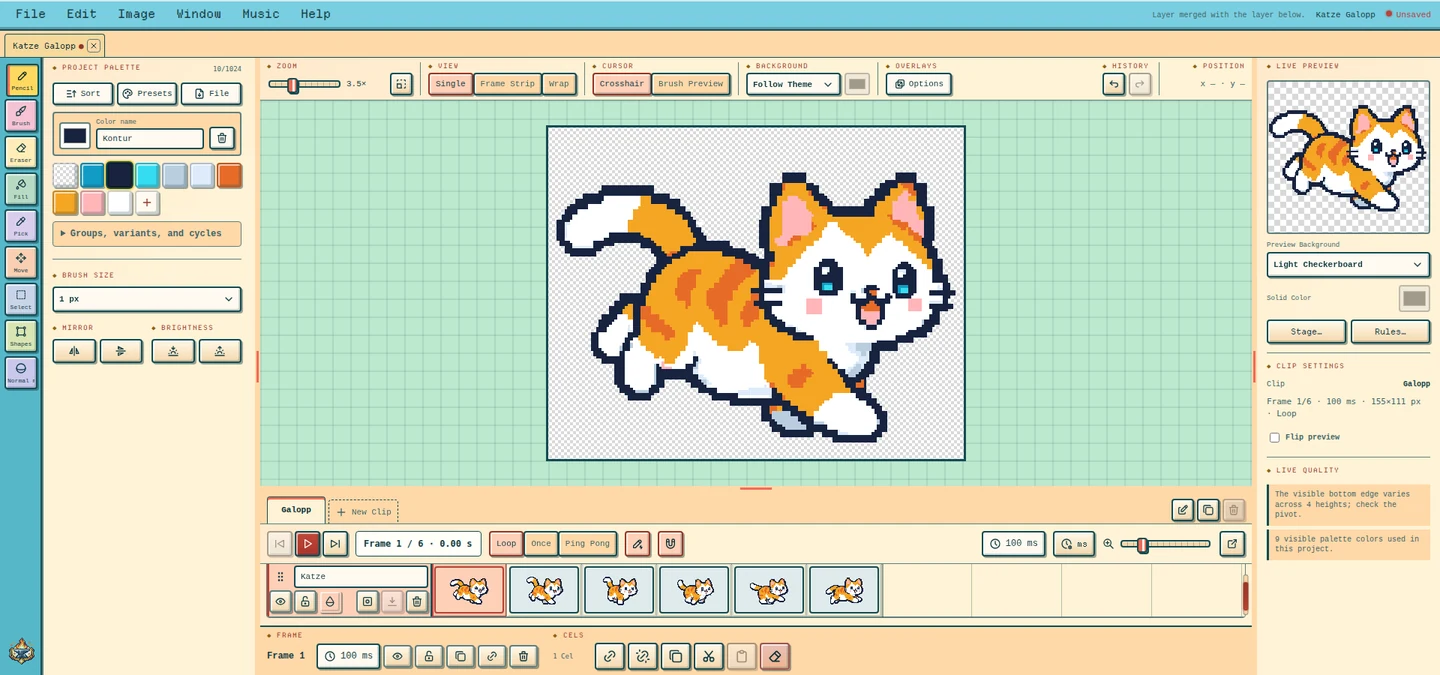
 Layers and frames
 in one timeline.
 Onion skin
 shows the neighbouring frames.
 Swap colours
Change a palette colour, every frame follows.
 Lospec palettes
Load and apply palettes from Lospec.
 In-betweens
 calculated from two poses.
Audio track with markers
Audio track: line frames up with markers.
Preview stage
Preview stage: run through your own level.
Normal maps with light
Normal maps for moving light.
Game data
Game data: points and events per frame.
Living colours
Colour variants and colour cycles.
Direction clips
Direction clips: the opposite side mirrored.
 Layer effects
: outline, shadow, glow.
 Free rotation
Pixel-perfect rotation without ragged edges.
 Open Aseprite files
 with layers and tags.
 Draw mirrored
: the other half draws itself.
Analysis first
Suggests the tool and settings.
 Rebuild the grid
Every grid cell becomes a pixel.
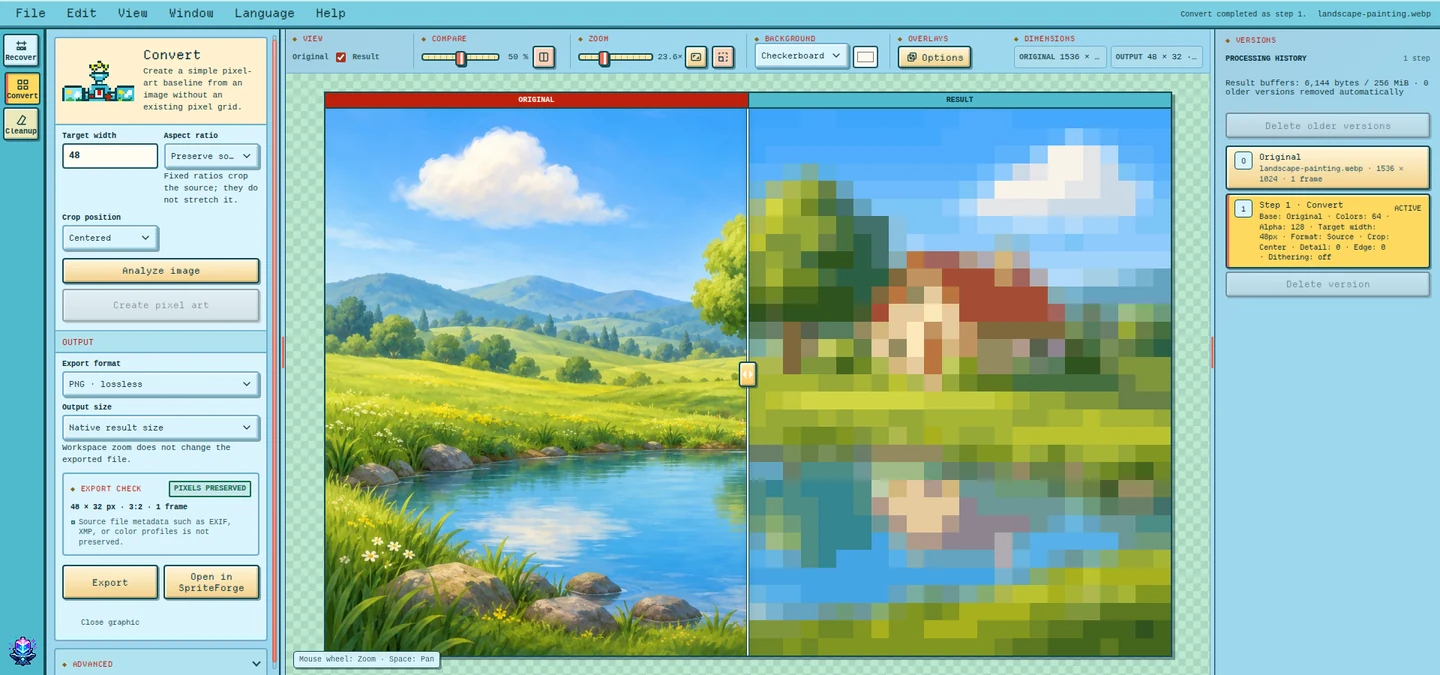
Convert images
Photos and AI images become pixel art.
Clean up
Stray pixels and colour noise gone.
 Show findings
Shows stray pixels and leftovers.
 Chroma key
Removes magenta and green screens.
 Limit the palette
As many colours as you need.
Animations
Every frame on the same grid.
On to SpriteForge
On to SpriteForge, lossless.
 Versions
Every step stays as a version.

Connect Claude, Codex or another AI assistant to your account. It works with the same tools as you, and in SpriteForge you can watch it draw.
 Try it for free
Keep your projects with us instead of only in your browser. Anything already in your browser is only uploaded by you; signing up or choosing a plan transfers nothing.


Share individual projects with your team. Whoever may edit saves straight into your project, with their own assistant too.
With an API key, your game repository fetches the latest graphics itself on every build, ready for your engine.